Transform Facility Security: A Deep Dive into QR Code-Based Guard Monitoring Systems
Ensuring consistent, verifiable security patrols across a corporate campus, manufacturing plant, or residential complex has historically been a challenge. Traditional guard monitoring system often relied on heavy, dedicated hardware readers, manual logbooks, or physical keys—methods that lack real-time visibility and are prone to errors or missed checkpoints.
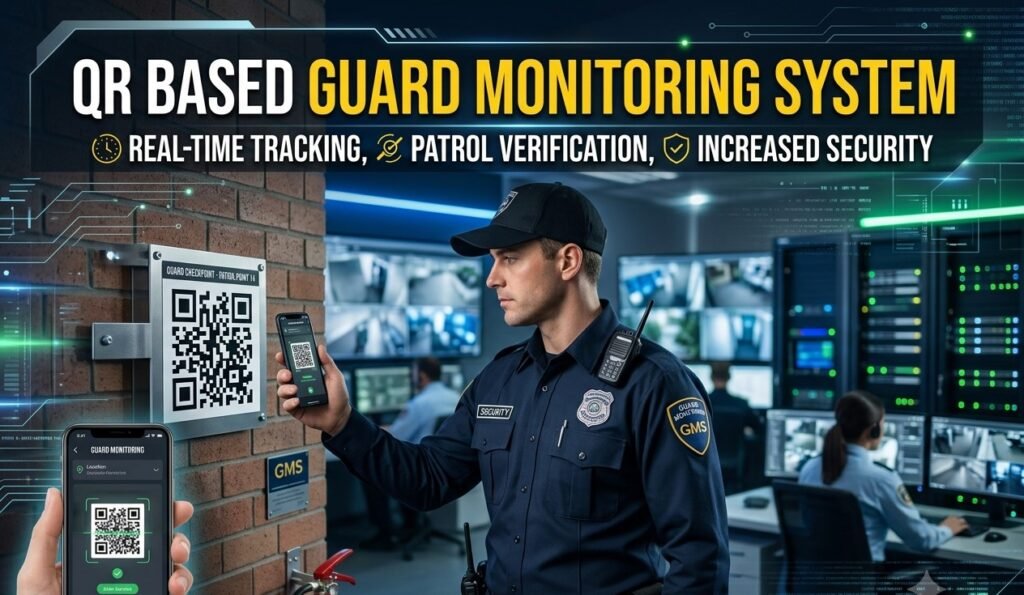
Modern facility management requires a streamlined, transparent, and mobile-first solution: A QR Code-Based Guard Monitoring System powered by smart applications like EZ QR Guard Monitoring System.
Here is a comprehensive breakdown of how a QR code-powered guard monitoring workflow operates from initial location tagging to real-time report analytics.
1. Setup & Configuration: Generating and Tagging Premises Checkpoints
The system begins by converting critical physical locations across your property into digital checkpoints using unique, location-tagged QR codes:
- Premise Mapping & Checkpoint Selection: Facility managers identify strategic high-risk or high-traffic patrol zones—such as main entry gates, server rooms, perimeter fences, basement parking floors, fire exit stairwells, and executive suites.
- Unique QR Code Generation via Software: Using the central administrative software, administrators generate unique QR codes for each designated checkpoint. Each QR code is digitally bound to specific location parameters (e.g., Site A ➔ Building 2 ➔ Floor 3 ➔ Server Room Fire Exit).
- Durable Physical Tagging: The generated QR codes are printed on durable, weatherproof, tamper-resistant materials (such as acrylic plates, metal-backed tags, or UV-laminated vinyl stickers) and mounted at each location.
Security Tip: Placing tags at specific physical heights or angles ensures guards must actually physically approach the exact spot to complete a scan.
2. Schedule Design & Shift Allocation
Through the central management portal, security admins create automated patrol schedules tailored to shift duties:
- Custom Routines: Schedules specify exact sequences or time windows for patrols (e.g., Night Patrol Routine: Scan 12 checkpoints every 45 minutes between 10:00 PM and 6:00 AM).
- Flexible Routes: Sequences can be fixed (requiring checkpoints to be scanned in a specific numerical order) or flexible (allowing any order within a set time window).
- Guard Assignment: Rosters and schedules are assigned directly to guards or shift teams.
3. Execution: On-Site Guard Patrol with EZ QR Guard App
During shift duty, guards utilize a standard smartphone equipped with the EZ QR Guard Monitoring App:
- Shift Start & Notification: The guard logs into the app to view their assigned shift schedule, designated patrol route, and active time windows.
- Location Scanning: Upon reaching each checkpoint, the guard uses the built-in scanner in the EZ QR Guard Monitoring App to scan the fixed QR code.
- Data Packet Recording: The app instantly captures:
- Exact Date & Time
- Location Tag Identification
- Guard ID & Login Credentials
- GPS Coordinates & Verification Data (to prevent scanning static photos of QR codes off-site)
- Incidence Reporting (Optional): If a guard notices a broken lock, open window, or safety hazard at a checkpoint, they can attach a photo or note directly to the scan entry in the app.
4. Reporting, Analytics & Nighttime Vigilance
The central software aggregates data sent by smartphones in real time, converting raw scans into actionable oversight reports:
+—————————————————————————————–+
| CHECKPOINT PUNCH ANALYSIS |
+———————+——————-+——————-+—————————+
| Status Type | Scheduled Time | Actual Punch Time | System Action |
+———————+——————-+——————-+—————————+
| On-Time Punch | 01:00 AM | 01:02 AM | Marked Compliant |
| Early Punch | 02:00 AM | 01:35 AM | Flagged (Rushed Route) |
| Late Punch | 03:00 AM | 03:28 AM | Flagged (Delayed Shift) |
| Missing / No Punch | 04:00 AM | — NO SCAN — | ALERT: Unhandled Route |
+———————+——————-+——————-+—————————+
- Eliminating Sleeping on Duty: Because night shifts require periodic scans at distant physical locations (e.g., every 30 to 60 minutes), guards must stay awake and mobile to keep their patrol status compliant.
- Early & Late Punch Exception Tracking: Flags indicate if a guard is rushing through a route too quickly (early punch) or slacking off on timing (late punch).
- Missing Punch Alerts: If a checkpoint is completely missed during a scheduled window, the system triggers automated notifications to supervisors, allowing immediate follow-up to check on guard safety or alertness.
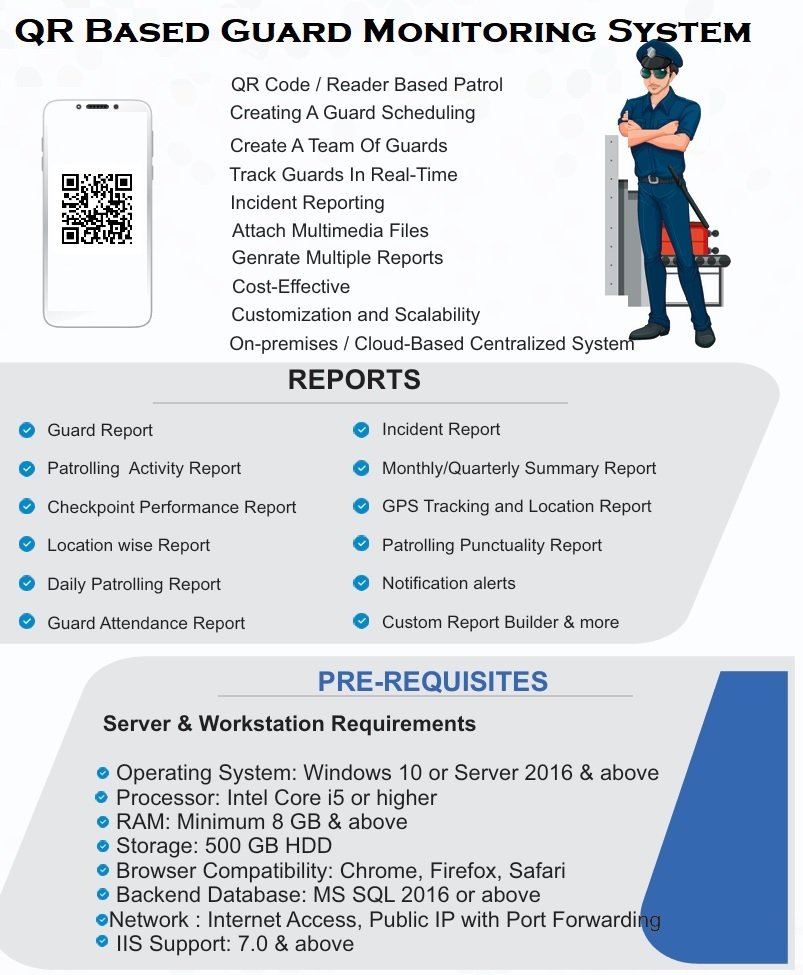
- Automated Daily/Weekly Reports: PDF and Excel reports can be generated for management, auditing firm security compliance, client invoicing, and SLAs.
Key Advantages for Facility Security
- Hardware Cost Reduction: Replaces expensive specialized wand devices with standard Android or iOS smartphones.
- Elimination of Proxy Patrolling: Prevents falsified paper logbooks or manual sign-in sheets.
- Complete Transparency: Gives facility managers real-time visibility into ground operations across multiple premises from a single dashboard.
An integral feature of the QR-Based Guard Monitoring System is its real-time Incident Reporting capability. Designed to enhance site safety and response efficiency, the mobile app empowers security personnel to instantly capture live photographic evidence or video footage directly from their patrol checkpoint. In critical or emergency situations, guards can immediately trigger a high-priority SOS alert. The system automatically dispatches instant notifications—containing real-time GPS coordinates, time stamps, and media attachments—to designated authorities and management teams via App push notifications, Email, SMS, and WhatsApp. This automated multi-channel communication ensures seamless transparency, rapid response times, and complete accountability across all security operations
READ MORE ON GUARD MONITORING SYSTEM
MORE ON GUARD MONITORING SYSTEM
Discover more from Rosslare India
Subscribe to get the latest posts sent to your email.